

3D Navigator 1.1
English - Hungarian - German - French - Spanish - Italian - Portuguese - Dutch - Norwegian - Swedish - Polish - Slovak - Romanian - Serbian - Greek - Chinese - Korean - Arabic - Zulu - Nauruan - Latin - Klingon
Archicad 27-30
WIN - MAC
Perpetual
Total price: 114.3 €
90 € + VAT
Billing once
- ✓ Full version
- ✓ Priority Support
- ✓ 1 computer / license
Subscription - 1 year
Total price: 57.15 €
45 € + VAT / Year
Billing annually
- ✓ Updates for 1 Year
- ✓ Priority Support
- ✓ 1 computer / license
All prices are net prices and exclude VAT and local taxes
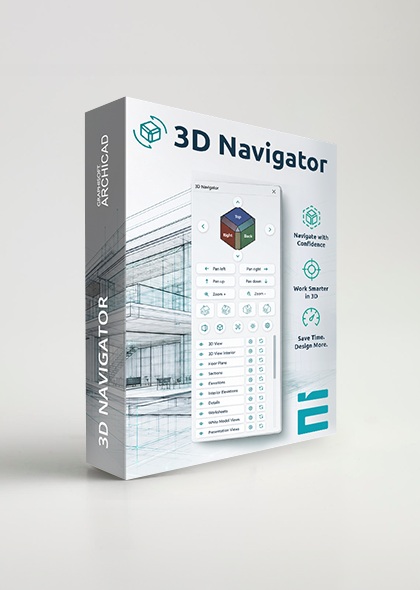
3D navigation and view management palette for Archicad
- Interactive 3D view cube – orbit by dragging, jump to viewpoints
- Rotate around the selected element, side views in one click from the top view
- Camera paths in the list, fly-through playback before rendering
- Saved view management, synchronised both ways with the Archicad View Map
- Preview thumbnails for saved views
- Switch between perspective and axonometry, 12 axonometry buttons
- Camera panel: azimuth, elevation, heights, distance, view cone, roll angle
- Sun panel: sun position, seasons, times of day, sun path playback
- Customisable interface: 10 cube styles with custom colours, 3 sizes, dark mode
Setting up 3D views and switching between them becomes considerably faster: you can orbit the model in a single movement, recall frequently used views with one click, and set the camera and the sun position numerically and precisely – without opening several dialog boxes.
Supported versions:
- Archicad 30
- Archicad 29
- Archicad 28
- Archicad 27
Current version: 1.1.0 (15 Oct 2026)
Release notes – what changed in each version (PDF)
| 3D Navigator – main features | Full version |
|---|---|
| dockable, resizable palette | |
| 3D view cube, orbit by dragging | |
| NEW orbiting around the element in the middle of the view, like Archicad’s Orbit | |
| NEW rotation around the selected element, with a switchable pivot | |
| jump to a viewpoint by clicking a face, edge or corner of the cube | |
| NEW side views from top and bottom view, with handles and name labels | |
| NEW standard views framed to the whole model, automatic fit in axonometry | |
| four standard corner views, from a uniform distance | |
| pan and zoom buttons with continuous stepping | |
| free panning on the cube with the middle mouse button, zoom with the mouse wheel | |
| fit in window (selection or the whole model) | |
| 45° view rotation in top and bottom view | |
| switching between perspective and axonometry | |
| 12 axonometry buttons: 11 ready-made views and custom axonometry | |
| saving views and synchronising them with the Archicad View Map (both ways) | |
| automatic reading of existing Archicad 3D views | |
| preview thumbnail for saved views | |
| renaming views in place, right-click shortcut menu | |
| viewing and changing view settings (layer, pen set, scale, 3D style) | |
| starting a rendering separately, with confirmation | |
| Archicad camera paths in the list, jump to any camera | |
| camera path playback following the Archicad path settings | |
| camera settings: azimuth, elevation, camera and target height | |
| precise camera distance, view cone and roll angle | |
| graphical camera setup on top-view and side-view diagrams | |
| sun position by azimuth and altitude, with cardinal direction buttons | |
| sun position by date and time, with season buttons and daylight saving time | |
| sun path playback (lighting preview), shadow toggle | |
| smooth camera transitions, adjustable rotation and zoom step | |
| NEW economical mode for large models | |
| 10 cube styles with custom face and edge colours and adjustable opacity | |
| three palette sizes, free width between 160 and 400 px, hideable button groups | |
| interface size between 90 and 130% | |
| dark mode | |
| interface in 33 languages | |
| settings kept across projects and restarts |